Editorial Note
This article is original SmartTechFusion content built around practical class-management workflows and controlled payment logic.
SmartTechFusion publishes implementation-focused articles written to support real products, prototypes, dashboards, and industrial deployments.
How to design a QR-based attendance and fee workflow for tuition classes, academies, and training centers without turning the system into a complicated ERP.
The real problem in class management
Most class owners do not just have an attendance problem. They have a linked problem: late check-ins, weak payment discipline, disputed balances, and poor communication with parents or guardians. If these remain manual, staff end up repeating the same work every day.
A QR attendance system becomes valuable only when it also records the financial movement tied to each check-in. Otherwise the center still needs a second manual process to track deductions and balances.
A good QR system is simple at the front and strict at the back
Students should be able to present a card or phone screen, get scanned, and move on. The scanner station should show a clear success or failure result immediately. But behind that simple experience, the system needs strict rules: unique student identity, duplicate-scan prevention, timestamped records, wallet updates, and full audit logs.
That balance matters. If the front end is slow, queues form. If the back end is weak, disputes grow.
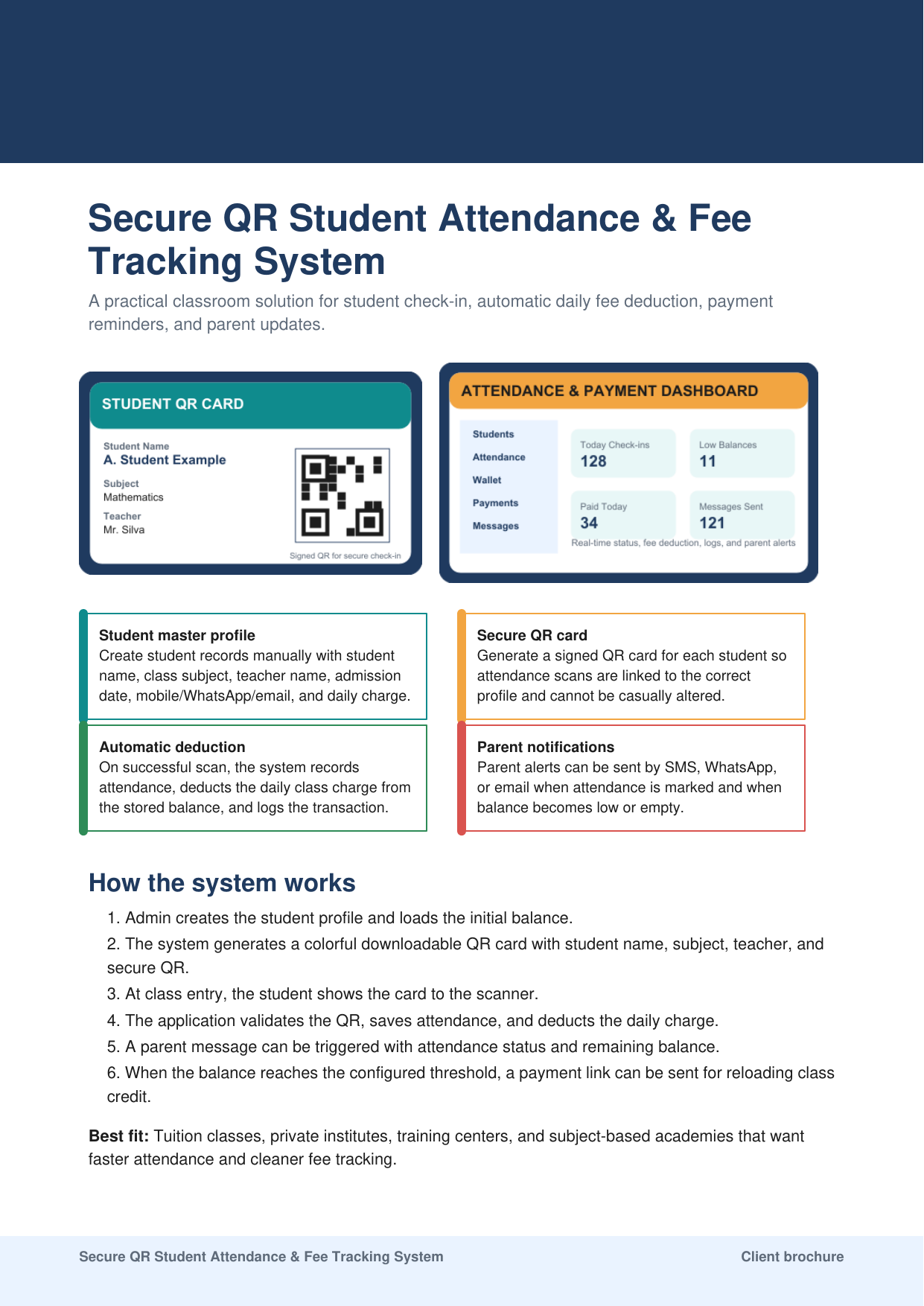
- Student master profile with parent contacts
- Secure QR token linked to one profile
- Daily charge or subject-specific charge rules
- Wallet deduction and low-balance logic
- Attendance ledger with operator trace
What should happen on every scan
At scan time, the software should validate the QR token, check whether the student is already marked present for the same class rule, save the attendance event, deduct the correct amount, update the balance, and return a readable result to the operator.
A system that only stores attendance is incomplete. A system that deducts money without audit history is dangerous. The reliable middle ground is a transaction-style workflow where every deduction is connected to a specific attendance event.
Notifications and payment links
Parents do not need spam after every minor system event. They need useful updates: successful attendance check-in, low balance, and empty balance. The message format should be short and factual, with current balance and the next step.
For payment links, the correct approach is to keep the trigger in the application but connect live payment only after the institute has a real merchant account and an approved gateway. Demo logic and live payment logic should never be mixed carelessly.
Where institutes go wrong
One common mistake is trying to support every edge case before the core workflow is stable. Another is letting operators manually override too much without audit trace. The third is weak card control, where a simple copied image can be reused without meaningful validation.
For a production setup, the institute should decide its attendance rules clearly: one scan per session, one daily deduction rule, how late entries work, and who can reverse a payment or attendance record.
Best deployment path
The right rollout begins with one branded card design, one student import or manual registration method, one scanner station, and one payment or wallet rule. Once that path is stable, reports, notifications, and extra branches can be added safely.
That phased approach is better than jumping directly into a large rollout with multiple teachers, mixed charge rules, and untested message logic.
Closing view
A QR attendance platform should reduce daily friction, not create a new administrative burden. When built properly, it gives faster entry, cleaner fee tracking, and better parent communication without turning the tuition center into a complicated software project.
The winning formula is controlled identity, controlled wallet movement, and controlled reporting.